Fueling your journey to inspire, overcome, and motivate towards a brighter future. Join us today
Log In
Sign Up
Don’t have an account yet? Sign Up
Already have an account? Sign In
By signing up, I accept IOMH (Terms & Conditions)
Build practical Excel and accounting skills—analyze data, create reports, and understand financial statements for real business tasks.
Enrolled Students: 2
Join our Microsoft Excel & Accounting Training course and discover your hidden skills, setting you on a path to success in this area. Get ready to improve your skills and achieve your biggest goals. The Microsoft Excel & Accounting Training course has everything you need to get a great start in this sector.
Improving and moving forward is key to getting ahead personally. The Microsoft Excel & Accounting Training course is designed to teach you the important stuff quickly and well, helping you to get off to a great start in the field. So, what are you looking for? Enrol now!
This course covers the topic you must know to stand against the tough competition. The future is truly yours to seize with this Microsoft Excel & Accounting Training. Enrol today and complete the course to achieve a certificate that can change your career forever.
After studying the course, an MCQ exam or assignment will test your skills and knowledge. You have to get a score of 60% to pass the test and get your certificate.
Upon successfully completing the final assessment, you’ll unlock a CPD-accredited Certificate of Achievement—a valuable credential that demonstrates your commitment to professional development. The PDF Certificate is priced at £5.99 and will be emailed to you immediately. Also, A printed Hard copy Certificate can be purchased for £12.99 and will be sent to your address by post.
This Microsoft Excel & Accounting Training is suitable for anyone aspiring to start a career in relevant field; even if you are new to this and have no prior knowledge, this course is going to be very easy for you to understand.
On the other hand, if you are already working in this sector, this course will be a great source of knowledge for you to improve your existing skills and take them to the next level.
This course has been developed with maximum flexibility and accessibility, making it ideal for people who don’t have the time to devote to traditional education.
You don’t need any educational qualifications or experience to enrol in the Microsoft Excel & Accounting Training course.
Do note: You must be at least 16 years old to enrol.
Any internet-connected device, such as a computer, tablet, or smartphone, can access this online course.
The certification and skills you get from this Microsoft Excel & Accounting Training Course can help you advance your career and gain expertise in several fields, allowing you to apply for high-paying jobs in related sectors.
1. You need to find the right course on our IOMH website at first. You can search for any course or find the course from the Courses section of our website.
2. Click on Take This Course button, and you will be directed to the Cart page.
3. You can update the course quantity and also remove any unwanted items in the CART and after that click on the Checkout option and enter your billing details.
4. Once the payment is made, you will receive an email with the login credentials, and you can start learning after logging into the portal.
After purchasing the course, you should receive an email with the login credentials within 24 hours. Please check your spam or junk folder if you didn’t receive it in your inbox. You can access your courses by logging into your account. If you still need any assistance, please get in touch with our Customer Support team by providing the details of your purchase.
You should receive your Digital Certificate within 24 hours after placing the order, and it will take 3-9 days to deliver the hard copies to your address if you are in the UK.
For International Delivery, it will take 20-25 days.
If you require any assistance, get in touch with our dedicated Customer Support team, and your queries/issues will be dealt with accordingly.
You can make the payment using PayPal or you can Bank Transfer the amount.
For Bank transfer you will require an invoice from us and you need to contact our Customer Support team and provide details of your purchase to get the invoice.
After that, you will receive an email with the invoice and bank details and you can make the payment accordingly.
We are an online course provider, and learners from anywhere in the world can enrol on our courses using an internet-connected device.
To resolve this issue, please log out of your account and then log back in.
| Getting Started with Microsoft Office Excel 2016 | |||
| Navigate the Excel User Interface | 00:28:00 | ||
| Use Excel Commands | 00:10:00 | ||
| Create and Save a Basic Workbook | 00:19:00 | ||
| Enter Cell Data | 00:12:00 | ||
| Use Excel Help | 00:05:00 | ||
| Performing Calculations | |||
| Create Worksheet Formulas | 00:15:00 | ||
| Insert Functions | 00:17:00 | ||
| Reuse Formulas and Functions | 00:17:00 | ||
| Modifying a Worksheet | |||
| Insert, Delete, and Adjust Cells, Columns, and Rows | 00:10:00 | ||
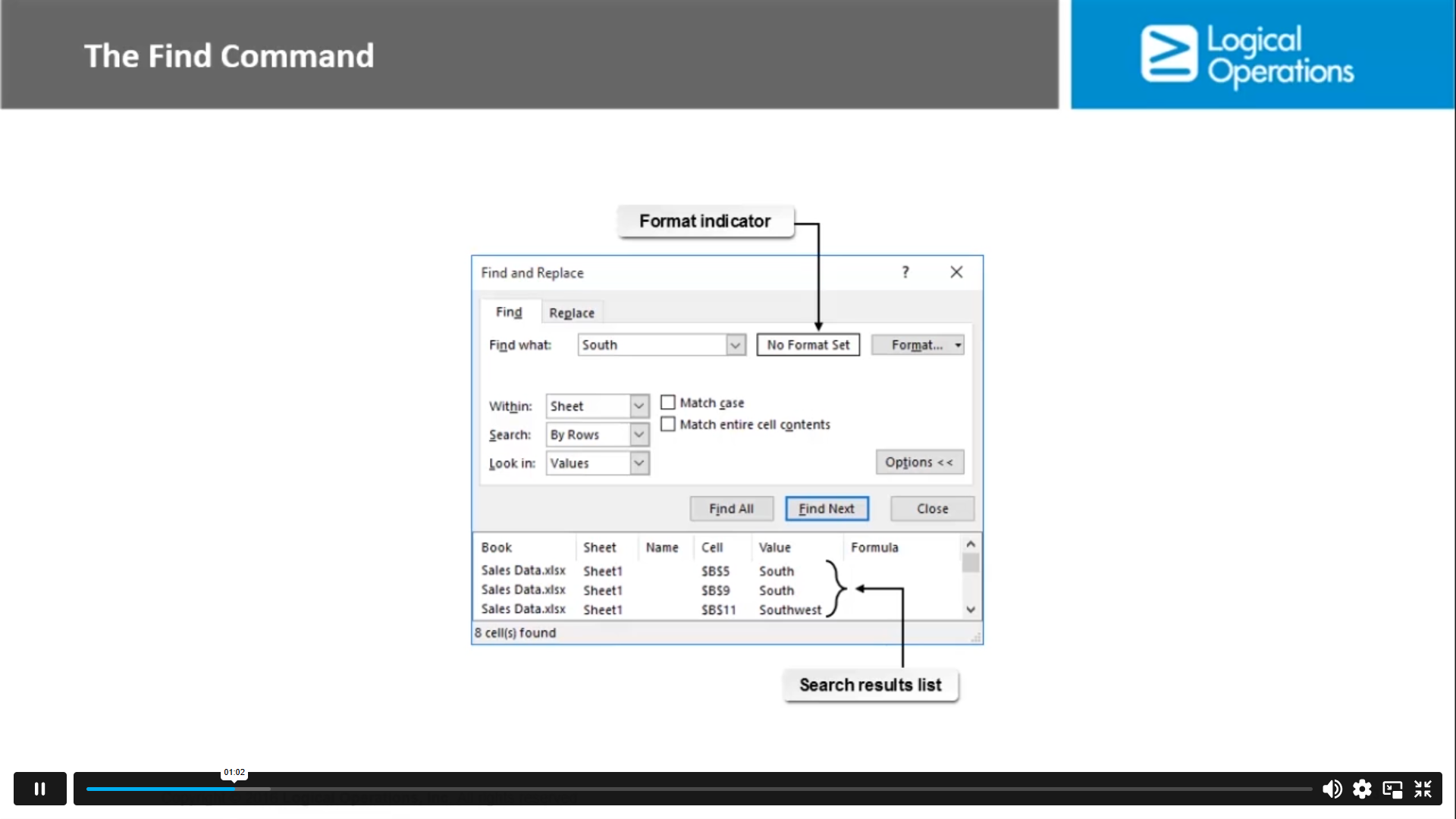
| Search for and Replace Data | 00:09:00 | ||
| Use Proofing and Research Tools | 00:08:00 | ||
| Formatting a Worksheet | |||
| Apply Text Formats | 00:16:00 | ||
| Apply Number Format | 00:08:00 | ||
| Align Cell Contents | 00:09:00 | ||
| Apply Styles and Themes | 00:12:00 | ||
| Apply Basic Conditional Formatting | 00:11:00 | ||
| Create and Use Templates | 00:08:00 | ||
| Printing Workbooks | |||
| Preview and Print a Workbook | 00:10:00 | ||
| Set Up the Page Layout | 00:09:00 | ||
| Configure Headers and Footers | 00:07:00 | ||
| Managing Workbooks | |||
| Manage Worksheets | 00:05:00 | ||
| Manage Workbook and Worksheet Views | 00:07:00 | ||
| Manage Workbook Properties | 00:06:00 | ||
| Working with Functions | |||
| Work with Ranges | 00:18:00 | ||
| Use Specialized Functions | 00:12:00 | ||
| Work with Logical Functions | 00:24:00 | ||
| Work with Date & Time Functions | 00:08:00 | ||
| Work with Text Functions | 00:11:00 | ||
| Working with Lists | |||
| Sort Data | 00:10:00 | ||
| Filter Data | 00:10:00 | ||
| Query Data with Database Functions | 00:09:00 | ||
| Outline and Subtotal Data | 00:09:00 | ||
| Analyzing Data | |||
| Create and Modify Tables | 00:16:00 | ||
| Apply Intermediate Conditional Formatting | 00:07:00 | ||
| Apply Advanced Conditional Formatting | 00:06:00 | ||
| Visualizing Data with Charts | |||
| Create Charts | 00:13:00 | ||
| Modify and Format Charts | 00:12:00 | ||
| Use Advanced Chart Features | 00:13:00 | ||
| Using PivotTables and PivotCharts | |||
| Create a PivotTable | 00:13:00 | ||
| Analyze PivotTable Datac | 00:12:00 | ||
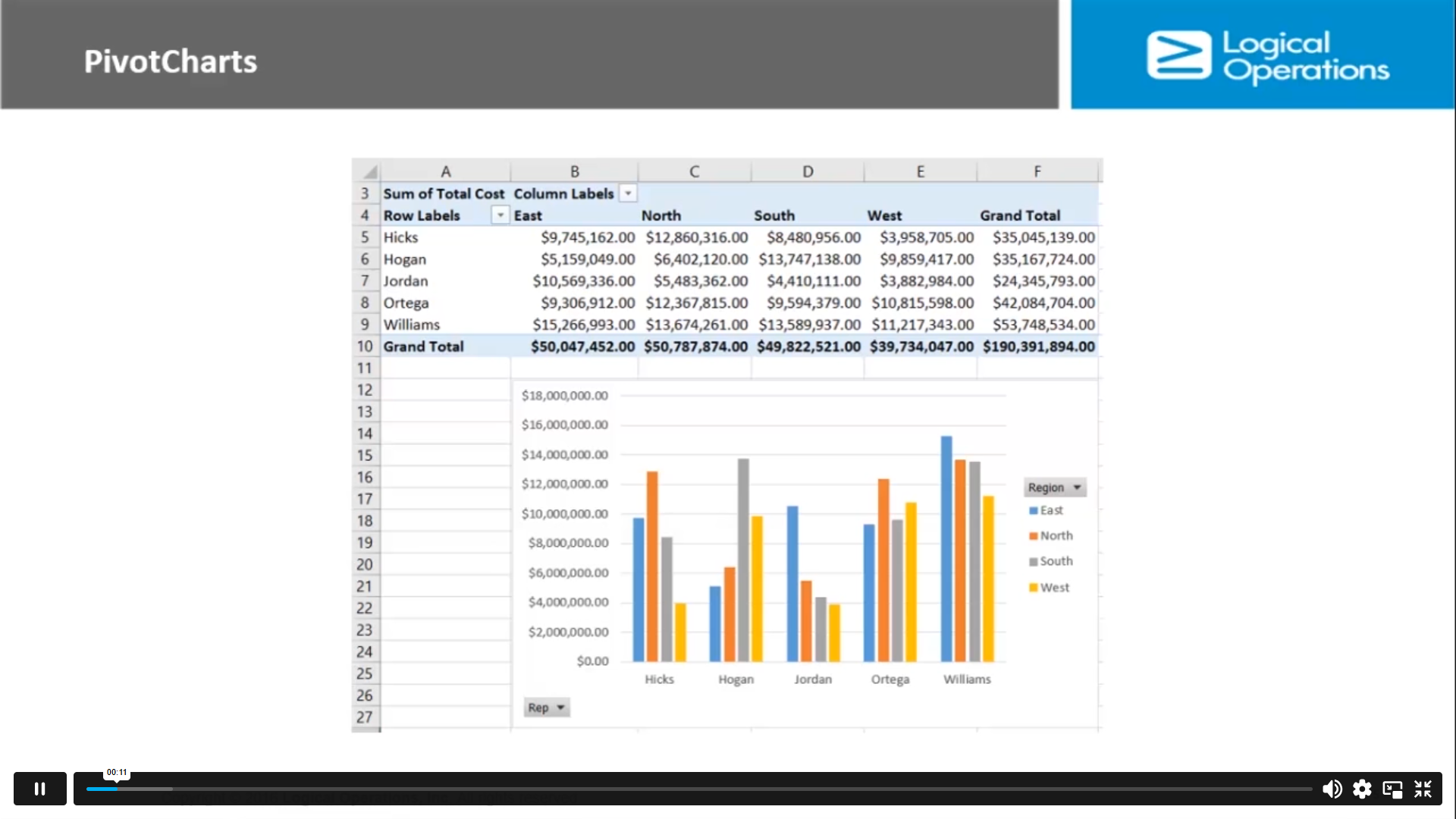
| Present Data with PivotCharts | 00:08:00 | ||
| Filter Data by Using Timelines and Slicers | 00:11:00 | ||
| Working with Multiple Worksheets and Workbooks | |||
| Use Links and External References | 00:12:00 | ||
| Use 3-D References | 00:06:00 | ||
| Consolidate Data | 00:06:00 | ||
| Using Lookup Functions and Formula Auditing | |||
| Use Lookup Functions | 00:13:00 | ||
| Trace Cells | 00:09:00 | ||
| Watch and Evaluate Formulas | 00:09:00 | ||
| Sharing and Protecting Workbooks | |||
| Collaborate on a Workbook | 00:20:00 | ||
| Protect Worksheets and Workbooks | 00:08:00 | ||
| Automating Workbook Functionality | |||
| Apply Data Validation | 00:13:00 | ||
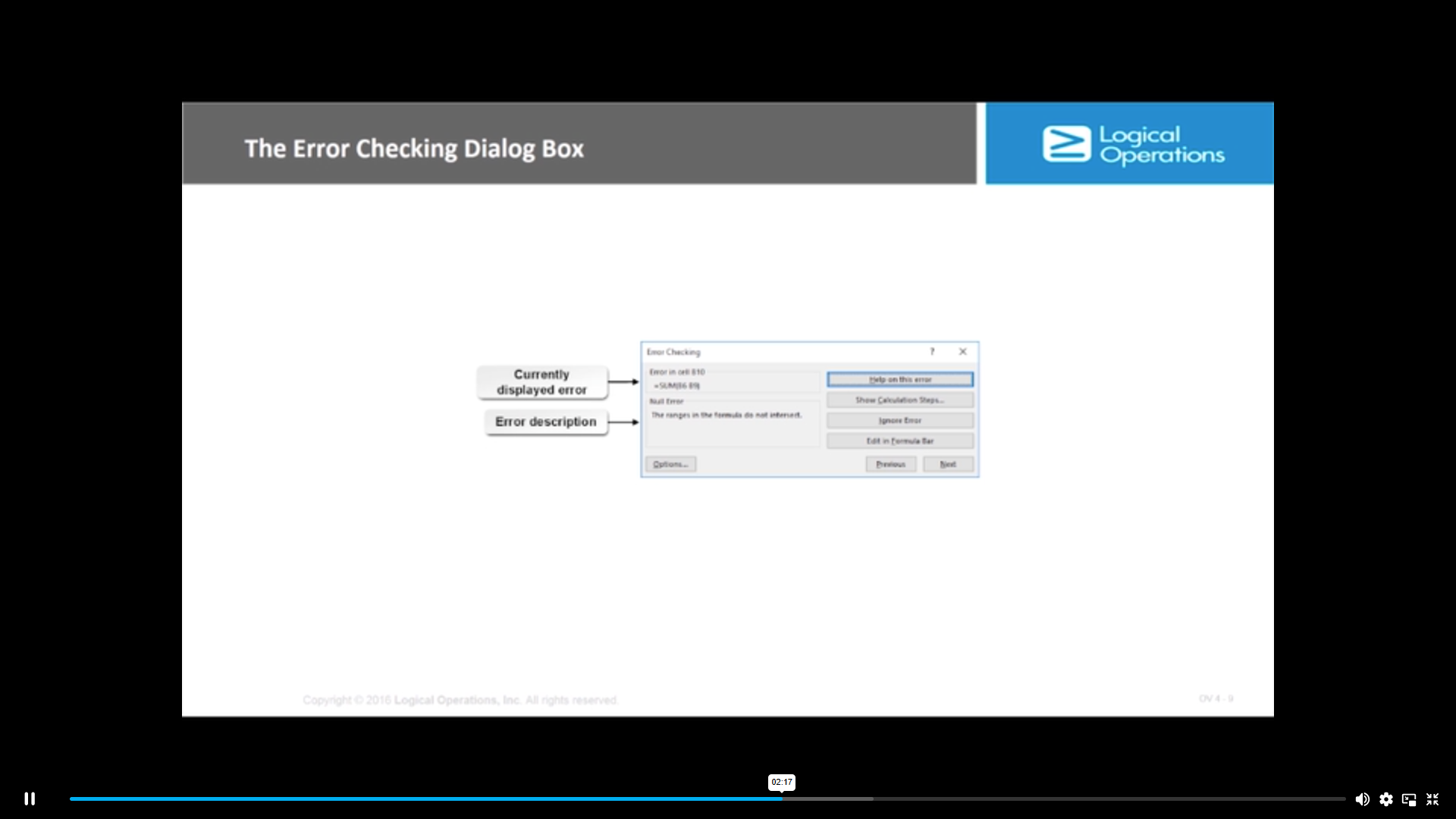
| Search for Invalid Data and Formulas with Errors | 00:04:00 | ||
| Work with Macros | 00:18:00 | ||
| Creating Sparklines and Mapping Data | |||
| Create Sparklines | 00:07:00 | ||
| MapData | 00:07:00 | ||
| Forecasting Data | |||
| Determine Potential Outcomes Using Data Tables | 00:09:00 | ||
| Determine Potential Outcomes Using Scenarios | 00:09:00 | ||
| Use the Goal Seek Feature | 00:04:00 | ||
| Forecasting Data Trends | 00:06:00 | ||
| Professional Bookkeeper Introduction | |||
| Bookkeeper | 00:09:00 | ||
| Introduction to Accounting and Business | |||
| Defining a Business | 00:07:00 | ||
| Ethics in Accounting | 00:05:00 | ||
| Generally Accepted Accounting Principles (GAAP) | 00:10:00 | ||
| The Accounting Equation | |||
| The Accounting Equation | 00:07:00 | ||
|  Transactions | 00:11:00 | ||
| Financial Statements | 00:13:00 | ||
| Analyzing Transactions | |||
| The Accounting Equation and Transactions | 00:16:00 | ||
| Double-Entry System | 00:11:00 | ||
| Transactions – Journalizing | 00:17:00 | ||
| Journal Entries | 00:38:00 | ||
| Entering Information - Posting Entries | |||
| Posting Entries | 00:10:00 | ||
| The Trial Balance | 00:10:00 | ||
| Horizontal Trend : Balance Sheet | 00:21:00 | ||
| Horizontal Trend: Income Statement | 00:36:00 | ||
| Adjusting Process | |||
| The Purpose of the Adjusting Process | 00:15:00 | ||
| Adjusting Entries | |||
| Adjusting Entries – Prepaid Expenses | 00:13:00 | ||
| Adjusting Entries – Accrued Revenues | 00:10:00 | ||
| Adjusting Entries – Depreciation Expense | 00:09:00 | ||
| Adjustment Summary | |||
| Adjustment Summary – Review | 00:13:00 | ||
| Vertical Analysis | 00:33:00 | ||
| Preparing a Worksheet | |||
| Preparing a Worksheet | 00:06:00 | ||
| Financial Statements | |||
| The Income Statement | 00:11:00 | ||
| Financial Statements – Definitions | 00:12:00 | ||
| Completing the Accounting Cycle | |||
| Temporary vs. Permanent Accounts | 00:19:00 | ||
| The Accounting Cycle Illustrated | |||
| Accounting Cycle Illustrated – Steps 1-5 | 00:11:00 | ||
| Accounting Cycle Illustrated – Steps 6-10 | 00:12:00 | ||
| Fiscal Year | |||
| Fiscal Year | 00:09:00 | ||
| Spreadsheet Exercise | |||
| Spreadsheet Exercise – Steps 1-4 | 00:11:00 | ||
| Spreadsheet Exercise – Steps 5-7 | 00:37:00 | ||
Save Up To 95% -
This course includes:
4.7 (8 reviews)
365 days
25 Students
4.7 (8 reviews)
365 days
27 Students

4.7 (8 reviews)
365 days
23 Students
COPYRIGHT © 2021 Institute of Mental Health